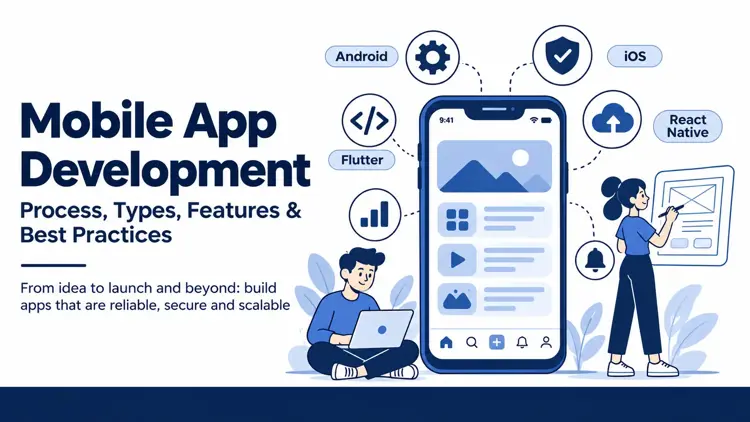
Mobile App Development: Process, Types, Features & Best Practices
Naapbooks Insights • Mobile App Development • 10 min read
- What Is Mobile App Development?
- Types of Mobile Applications
- The Mobile App Development Process: Step by Step
- Essential Features Every Business Mobile App Should Consider
- Best Practices for Successful Mobile App Development
- Common Mobile App Development Mistakes to Avoid
- How Naapbooks Can Help With Mobile Application Development
- Conclusion
Mobile App Development: Process, Types, Features & Best Practices
Customers now expect to book, pay, track and get support from their phones, while businesses need apps that stay reliable, secure and easy to scale. Mobile application development is the process of planning, designing, building, testing, launching and improving software for smartphones and tablets. Success takes far more than writing code. It depends on a clear business problem, thoughtful design, sound architecture and steady care after launch. This guide explains app types, the development process, essential features, best practices and common mistakes, so you can make better decisions before investing in your next mobile application.
What Is Mobile App Development?
Mobile app development is the end-to-end work of turning a business need into an application people use on their devices. It combines several disciplines:
- Business requirements and product strategy that define who the app serves and why.
- UI and UX design that shapes how the app looks and feels.
- Frontend and backend development for the screens users see and the server logic behind them.
- Database and API integration to store data and connect other systems.
- Testing, deployment and maintenance to release safely and keep the app healthy.
Developing an app and maintaining it are different efforts. Development ends with a release; maintenance covers bug fixes, security patches, operating system updates and feature improvements for as long as the app is in use.
Quick Answer: Mobile app development is the process of planning, designing, building, testing and releasing an application for mobile devices, followed by ongoing maintenance and improvement.
Types of Mobile Applications
Each approach to app development for mobile involves trade-offs. The right choice depends on your use case, not on which option is fashionable. Our guide to mobile app development for startups and enterprises explores this further.
Native Mobile Applications
Native apps are built for one platform: Kotlin or Java for Android app development, Swift for iOS app development. They offer strong performance and direct access to device features such as the camera, sensors and biometrics. The trade-off is maintaining separate codebases, which raises effort and cost.
Cross-Platform Applications
Frameworks such as Flutter and React Native let teams share much of one codebase across Android and iOS, reducing duplicated work. Cross-platform app development suits many business apps, though highly specialised hardware features may still need native code.
Hybrid Applications and Progressive Web Apps
Hybrid apps wrap web technology inside a native shell and are distributed through app stores. Progressive web apps run in the browser and can be added to a home screen, but they have more limited device access. If a browser-based experience is enough, web application development may be a better fit.
Quick Answer: Choose the app type by weighing required functionality, budget, user expectations, device integration and long-term maintenance.
The Mobile App Development Process: Step by Step
A reliable mobile app development process follows these stages in order.
1. Requirement Gathering and Planning
Define business goals, target users and success metrics. Study competitors, agree on project scope, and set a realistic budget and timeline. User research at this stage prevents expensive changes later.
2. UI/UX Design and Prototyping
Map user journeys, then create wireframes and interactive prototypes. Build in accessibility from the start, and test prototypes with real users before full development begins. Fixing a design is far cheaper than fixing finished code.
3. Technology Selection and Architecture
Decide between native and cross-platform development, and plan the backend architecture, databases, APIs and cloud infrastructure. List every integration, such as payment gateways or existing business systems, so the architecture supports them from day one.
4. Development and Integration
Developers build frontend and backend components in short, iterative cycles. Version control, code reviews and regular stakeholder demos keep quality high and expectations aligned.
5. Testing and Quality Assurance
Test functionality, usability, compatibility, security, performance and integrations across relevant devices and operating system versions. Real-device testing catches problems that emulators miss.
6. Deployment and Ongoing Maintenance
Prepare store listings and submit to the App Store and Google Play. After release, monitor stability, fix bugs, act on user feedback, keep pace with operating system updates and plan feature improvements.
Skipping these stages has predictable consequences. Weak requirements lead to rework and scope creep. Limited testing lets crashes and security gaps reach users. No post-launch plan leaves an app outdated and unsupported within months.
Quick Answer: The six stages are planning, UI/UX design, technology and architecture selection, development, testing, and deployment with ongoing maintenance.
Essential Features Every Business Mobile App Should Consider
The right features depend on your business model, audience and core use case. Baseline requirements usually include:
- Simple onboarding and intuitive navigation.
- Secure authentication and suitable access controls.
- Fast loading and dependable performance.
- Push notifications that users can control.
- API integrations and payments, where the business needs them.
- Analytics and crash monitoring.
- Accessibility and a responsive interface.
- Data protection, backups and recovery planning.
Context matters. An e-commerce app needs smooth checkout and order tracking. An internal employee app needs role-based access and single sign-on. A financial platform needs strong authentication and audit trails; see our fintech application development page for industry-specific needs.
Separate essentials from optional extras. Adding too many features before validating the core product increases complexity, raises costs and delays launch.
Quick Answer: The best feature set prioritises usability, security, performance and the app's primary business objective.
Best Practices for Successful Mobile App Development
Strong mobile app development best practices reduce avoidable rework and support sustainable growth:
- Start with an MVP (minimum viable product) when appropriate.
- Define measurable outcomes, such as completed orders or active users.
- Design around real user behaviour, not assumptions.
- Choose technology for requirements, not popularity.
- Build security and privacy into the architecture from the start.
- Automate testing and deployment where suitable.
- Monitor performance and feedback after launch.
- Plan maintenance and scalability from the beginning.
Consider a retailer planning a loyalty app with dozens of ideas. Instead of building everything, it launches with catalogue browsing, secure login and a basic rewards balance. Usage data shows which features customers actually use, so the retailer invests in advanced personalisation only after demand is proven. For more articles like this, visit our mobile app development insights.
Quick Answer: Successful mobile applications combine user-centred design, disciplined engineering, security, continuous testing and ongoing improvement.
Common Mobile App Development Mistakes to Avoid
- No clear requirements: causes rework and budget overruns. Document goals and scope first.
- Choosing a framework without evaluating the use case: limits performance or features later. Compare options against requirements.
- Ignoring older devices and weak networks: frustrates users and cuts adoption. Test on varied hardware and connections.
- Treating security as a final step: exposes data and damages trust. Address it during design.
- Overloading the first release: delays launch. Ship core features first.
- Skipping user acceptance testing: lets usability problems through. Involve real users before release.
- Assuming launch is the end: leads to outdated, unreliable apps. Budget for maintenance.
Quick Answer: Clear planning, realistic scope, early testing and ongoing maintenance help prevent most common failures.
How Naapbooks Can Help With Mobile Application Development
Naapbooks is a technology partner for businesses planning custom mobile applications. Our mobile application development services include:
- Android and iOS application development.
- Cross-platform development using Flutter and React Native.
- UI/UX design and application customisation.
- API integration and cloud-based deployment.
- Testing, maintenance and post-launch support.
A good development partner helps align technology decisions with business requirements, user experience, security and future growth. If you have an app idea, a technical requirement or a business challenge you are unsure how to approach, talk to our team. We are happy to discuss it with you.
Conclusion
Effective mobile application development starts with a defined business problem and continues through careful planning, appropriate technology choices, user-focused design, thorough testing and long-term support. The strongest apps are built around real user needs, not features added for their own sake. To discuss your project, visit Naapbooks' mobile application development service page and get in touch.