AI Agents in ERP: How Agentic AI Is Transforming Business Operations in 2026
Naapbooks Insights • AI Agents in ERP • 9 min read
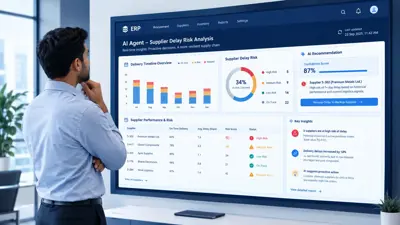
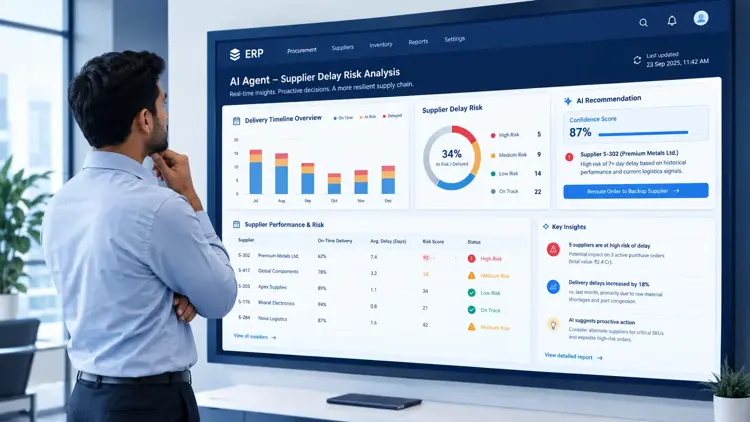
A supplier emails to say an important shipment will be five days late. In a traditional ERP, that starts a manual scavenger hunt: find the PO, check inventory, check production needs, contact the supplier, update records, notify operations. The system holds the data, but a person has to connect it.
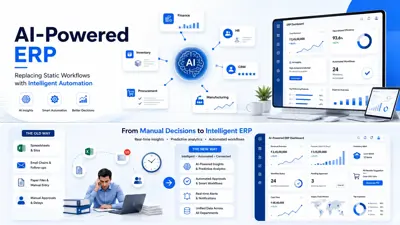
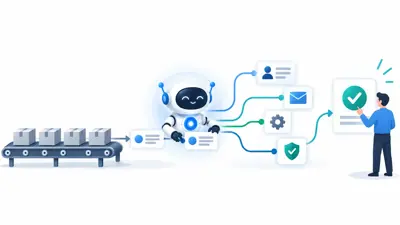
AI agents in ERP do that connecting work. An agent can read the supplier's email, identify the affected purchase order, check inventory and production impact, evaluate approved alternatives, and prepare a next step, routing it to a person where approval is required.
Traditional ERP records what happened. AI agents help figure out what should happen next and execute the permitted parts of it, under rules a business sets in advance. This isn't ERP becoming self-driving, it's bounded tasks moving from a person's inbox to an agent's workflow, with people still setting the guardrails.
What Are AI Agents in ERP?
Quick answer
AI agents for ERP are software components that read business data and events, reason about what needs to happen, take permitted actions using defined tools, and hand off to a person when a decision needs judgment. They differ from chatbots because they can act, not just answer.
An agent is given a job, a set of tools, and boundaries. The job might be "process incoming vendor invoices." The tools are specific ERP functions it's allowed to call, like check stock or post an entry once approved. The boundaries are rules the business sets: which fields it can touch, what dollar threshold needs sign-off.
An agent works with the same data everyone else uses, but it chains several steps together on its own instead of waiting for a person to move from screen to screen. This is what people mean by ERP automation with AI, not automation that only follows a fixed script.
How Are AI Agents Different From ERP Chatbots?
Quick answer
A chatbot answers questions. Traditional automation runs fixed steps on a fixed trigger. An AI agent interprets a situation, uses several tools in sequence, and completes part of a workflow, escalating only what needs a person.
Take an invoice that doesn't quite match its purchase order. A chatbot can explain a status code, nothing more. Traditional automation auto-approves an exact match and routes everything else to manual review, with no idea why it didn't match. An AI agent pulls the PO, the goods receipt, and the vendor's history, works out it's a known rounding difference within tolerance, and posts it or routes it with the reasoning attached, instead of a bare "exception, please review." The agent isn't smarter than the person; it's doing the first-pass legwork inside the system of record.
How Do AI Agents Work Inside an ERP?
Quick answer
Most AI ERP systems follow a repeatable pattern: understand the trigger, gather context, reason about what it means, use specific tools, execute permitted actions, escalate anything uncertain, and log every step for audit purposes.
- Understand, identify the event: an email, a threshold, a document.
- Gather context, pull the PO, vendor master, inventory, and policy.
- Reason, works out what the event means and what options exist.
- Use tools, calls defined functions like "check stock," not free edits to the database.
- Execute, carries out the action within its permitted scope.
- Escalate, anything above a threshold or ambiguous goes to a person.
- Record and audit, every step is logged for review.
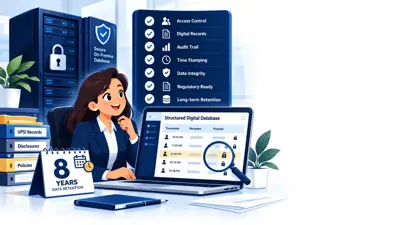
Permissions and auditability matter because this is finance, not a demo. An agent that can look but not touch is low-risk. One that can post a journal entry needs the same controls as a new employee: a defined role, spending limits, and a full audit trail.
7 Practical Use Cases of AI Agents in ERP
Quick answer
AI agents for finance, AI agents for procurement, and AI agents for supply chain are already handling defined slices of daily ERP work, each with a human approval point built in.
- Accounts payable. An invoice arrives by email. An agent matches it against the PO and goods receipt, posting it automatically within tolerance or handing the clerk a short summary with the cause identified.
- Procurement and supplier management. This is the supplier-delay scenario from the opening: an agent checks the affected PO against inventory and production schedules and prepares backup-supplier options for a buyer to approve.
- Inventory and demand management. Instead of a flat low-stock alert, an agent combines stock, demand, lead times, and open orders, and only flags a real gap.
- Finance and reconciliation. When a bank line doesn't match the ledger, an agent traces the transaction, checks common causes, and writes up an explanation instead of just listing the variance.
- Order management. An agent checks a new order against stock, credit standing, pricing, and delivery timing, confirming automatically or flagging the specific issue instead of a generic hold.
- Expense workflows. An agent checks an expense report against policy and travel authorization, approving what's in policy and flagging the rest with a reason.
- Management reporting. Asking for a report gets a report. Asking why sales dropped 8% last month gets an investigation, an agent tracing order and pricing data to a likely cause.
A Day in an AI-Agent-Powered ERP
Quick answer
Across a single business day, several agents handle first-pass work on invoices, supplier delays, and orders, escalating only the decisions with real financial or customer impact.
- 9:05 AM. An AP agent matches 34 of 38 overnight invoices automatically; the rest go to a queue with reasons attached.
- 9:08 AM. A supplier warns of a five-day delay on a key component. A procurement agent finds it breaches next week's production buffer and sends the buyer a substitution request using an approved supplier.
- 9:40 AM. The buyer approves it from their phone. The agent places the order and updates operations.
- 11:20 AM. A large order hits a partial stock shortfall. An order agent checks the customer's delivery flexibility and proposes a split shipment instead of a full hold.
- 2:30 PM. A finance leader asks why margin dipped on one line. A reporting agent traces it to a discount that wasn't reversed on schedule.
Anything with real financial weight stopped for a human decision. What changed is how much groundwork happened first.
What Are the Benefits of AI Agents in ERP?
Quick answer
The realistic gains are operational: less manual matching, faster processing on routine transactions, quicker exception handling, and more consistent decisions across the business.
- Reduced manual work on routine matching and checking
- Faster processing for anything that meets policy
- Faster exception handling, since facts are gathered upfront
- Better visibility, since agents surface issues continuously
- Fewer repetitive tasks for finance, procurement, and ops staff
- More consistent workflows, since checks apply the same way every time
These are process improvements, not a guaranteed return, and depend on data quality and rollout scope.
What AI Agents Cannot Reliably Do Yet
Quick answer
Agents are only as good as the data and rules behind them. They still struggle with ambiguous decisions and shouldn't be given broad unsupervised authority, especially on legacy ERP systems where governance and integration work hasn't been done.
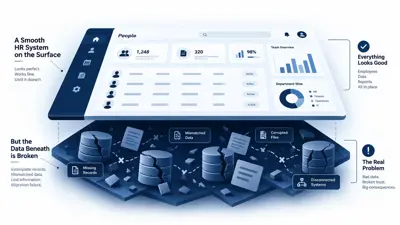
- Poor ERP data quality undermines everything an agent decides.
- Ambiguous decisions still need a person; an agent can present options, not decide alone.
- AI reasoning can be wrong, which is why escalation thresholds matter.
- Excessive autonomy over financial postings before trust is established is how mistakes scale.
- Cybersecurity, permissions, and legacy integration need real design work; newer capabilities roll out first on current cloud platforms, not older ones.
AI Agents vs Traditional ERP Automation
Quick answer
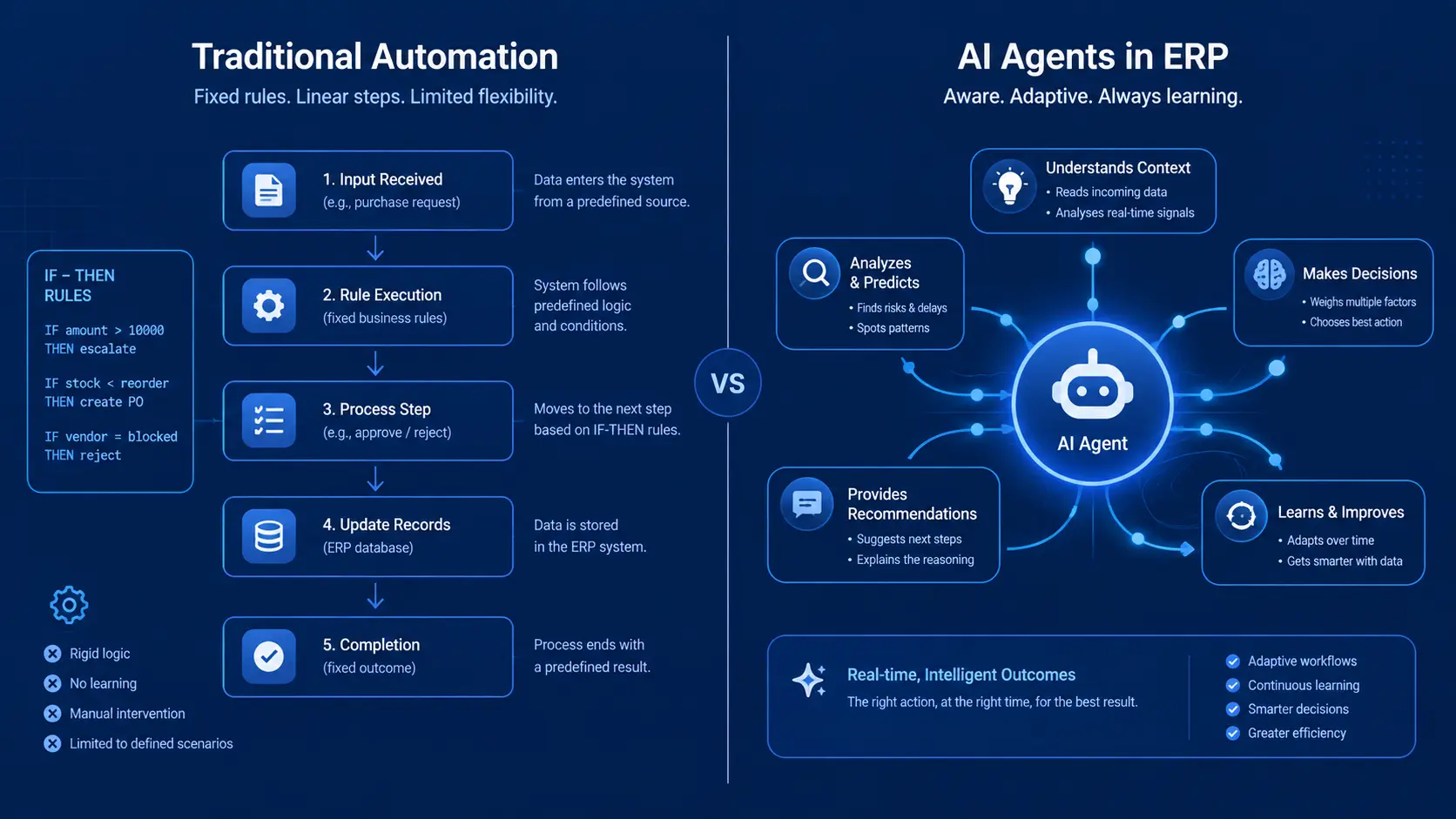
Traditional automation runs a fixed sequence on a fixed trigger. AI agents pull in context and adapt within set limits. Neither replaces the other; most ERP AI automation setups run both together.
Traditional automation still suits high-volume, low-variance tasks. Agents suit work involving judgment or data from more than one place.
| Traditional Automation | AI Agents | |
|---|---|---|
| Rules | Fixed, pre-defined logic | Applies rules and reasons beyond them |
| Context | Limited to the trigger event | Pulls related data to understand the situation |
| Triggers | Specific, predictable events | Broader events, including unstructured input like email |
| Decision-making | If/then logic only | Weighs options, proposes a course of action |
| Execution | Fixed sequence | Adapts the sequence to what it finds |
| Human involvement | Set once, runs unattended | Ongoing: sets permissions, reviews escalations |
How to Implement AI Agents in an ERP
Quick answer
Start narrow. Pick one repetitive process, measure it before and after, define exactly what the agent can do without approval, and expand once that first process is proven stable.
- Identify repetitive workflows, high-volume tasks like invoice matching.
- Establish baseline metrics before you start.
- Start with one process, not everything at once.
- Define permissions, what the agent can do freely, and must escalate.
- Keep humans in the loop, especially early on.
- Monitor performance, accuracy, escalations, errors.
- Expand gradually once trusted.
What Does the Future of AI-Powered ERP Look Like?
Quick answer
ERP is moving from a system of record to agentic ERP. Major vendors are already shipping AI in ERP for specific processes, though what's generally available differs sharply by vendor, module, and platform version.
SAP's Joule Studio agent builder reached general availability in early 2026, with agent capabilities rolling out across Ariba soon after. Oracle announced Fusion Agentic Applications for finance and supply chain in April 2026, built to execute decisions within existing approval hierarchies. Microsoft has rolled out agentic capabilities across Dynamics 365 Finance and Supply Chain Management through its 2026 release waves, including reconciliation and supplier-communication agents.
These are real capabilities in specific processes, not a uniform standard everywhere. A business on an older or customized system should treat vendor announcements as a preview of direction, not something already available out of the box. Agentic ERP won't replace the judgment of finance and operations teams; it's shifting their time away from tracking down information and toward reviewing and deciding.
Businesses working through ERP modernization, including teams at Naapbooks, are building this kind of agent capability into ERP and connected systems as part of normal implementation work, adding agents carefully into existing projects, one process at a time.